Gym screens for class timetables, membership promos and trainers
OutDeck is digital signage for gyms and fitness studios: it shows your class timetable, membership promos and trainer profiles on the TVs at reception and on the workout floor. Show different content to the early morning and after-work crowds, line up next week's timetable to appear on its own, and keep the screens playing all night if you never close.
Updated
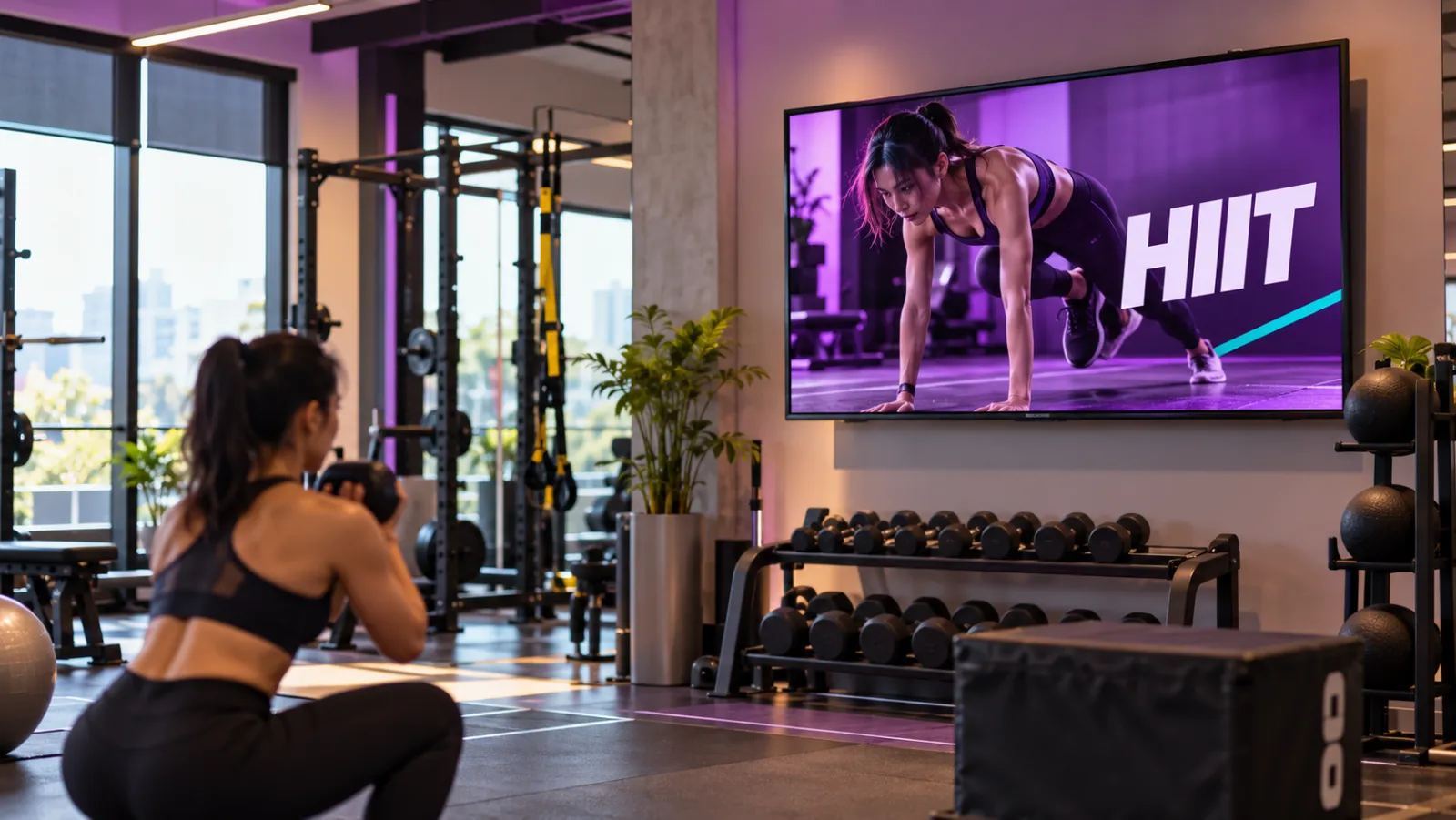
What a gym can show on its screens
-
This week's class timetable
Your classes for the week as an image, scheduled by date so next week's timetable takes over on Monday by itself.
-
Membership promos
Joining fee waivers, student rates or a Merdeka month deal, each set to run only on the dates it is on offer.
-
Trainer profiles
A slide for each personal trainer with their speciality and how to book a session at the front desk.
-
Workout demo videos
Short clips showing how to use the machines safely, playing on the workout floor between your promos.
-
Morning and evening crowds
Early class promos before work, then personal training packages for the after-work crowd, switching on their own.
-
Screens for 24-hour gyms
For gyms that never close, screens can play through the night, with a quieter late-night playlist after 11pm.
A gym day on screen
An example for a gym with one portrait screen at reception and two landscape screens on the workout floor, grouped as "Floor".
-
When: Every day, all day
What plays: Membership promos and trainer profiles (the everyday playlist)
Which screens: Reception screen (portrait)
-
When: Monday to Sunday of each week, by date
What plays: That week's class timetable, one playlist per week
Which screens: Reception screen (portrait)
-
When: Every day, all day
What plays: Workout demo videos and house rules
Which screens: Floor group
-
When: Monday to Friday, 6am to 9am
What plays: Morning class promos
Which screens: Floor group
-
When: Monday to Friday, 6pm to 10pm
What plays: Personal training packages
Which screens: Floor group
-
When: Every day, 11pm to 5am
What plays: Late-night member offers (24-hour gyms)
Which screens: Floor group
Each row is one schedule in scheduling. Screens that are online switch by themselves in your shop's time zone; add dated rows, like a festive menu, ahead of each season.
A typical gym setup
1 shop, 3 screens
RM49 /month
on the Startup plan
One portrait TV at reception for the timetable and trainer profiles, and two landscape TVs on the workout floor grouped as "Floor", so one schedule changes both. A gym that closes at night sets display hours; a 24-hour gym leaves them off.
Work out your own setupHow do I swap in next week's class timetable ahead of time?
Export each week's timetable as an image and put it in its own playlist. Give it a schedule from Monday to Sunday of that week, with a higher priority than the reception screen's everyday playlist. You can set up a month of timetables in one sitting, and each one takes over on its start date in your gym's time zone on every screen that is online.
If a class changes mid-week, replace the image in that week's playlist. Timetable screens that are online fetch the new image within seconds by themselves, and the change starts at the end of the current loop.
Can gym screens show different content in the morning and evening?
Yes. Add a schedule with a daily time window for each crowd, such as 6am to 9am on weekdays for morning class promos and 6pm to 10pm for personal training packages. Outside those windows the floor screens go back to their everyday playlist.
Point those schedules at the "Floor" group so both floor screens change together, while the reception screen keeps showing the timetable.
What should a 24-hour gym set up on its screens?
Leave display hours off so the screens keep playing through the night. Keep awake is on by default, so the player does not drift into a screensaver. If your TV has its own sleep timer, turn that off in the TV settings.
Turn on a nightly restart of the player app at a quiet hour, such as 4am, for a fresh start each day. A late-night playlist from 11pm to 5am runs as one block across midnight.
Can I film workout demos on my phone?
Yes. Upload them as MP4 or MOV files, up to 100 MB each, and add them to the floor playlist between your promos.
Videos that an Android TV might struggle with are converted in the background into a TV-friendly format, at up to 1920 pixels on the long side, so phone clips are easier for the TV to play.
Common questions
Can a gym screen show the class timetable?
Yes, as an image. Export the timetable from the tool you design it in, upload it, and schedule each week's version by date. OutDeck does not link to booking systems, so the screen shows the timetable you upload.
Can a gym screen promote a class just before it starts?
Yes. Add a schedule with a short daily window on the class days, such as 5.30pm to 6pm on Monday and Wednesday before a 6pm spin class, pointing at a playlist with that class's promo. Outside that window the screen goes back to its usual playlist.
Can a gym trim a long workout video for the floor screens?
Yes. Set a time on that item in the playlist, for example 30 seconds, and the screen plays only the first 30 seconds before moving on. Without a time, a video plays to the end.
Keep reading
- Schedule what every screen plays, by day and time Give each screen an everyday playlist, then switch to other playlists by date, day and time, even past midnight.
- Use an Android TV or TV box as a shop screen Turn an Android TV, or a TV with an Android TV box, into a shop screen. Install the app and type its code into your dashboard.
- Manage every shop screen from one dashboard Pair a screen by typing its code, see which screens are online, and sync, identify or restart the player app without visiting the shop.
- One media library for all your shop screens Drop in images and videos once, then use them in any playlist, for one shop or all of them.
- Retail digital signage for window promos, sales and new arrivals Window promos, sales that start and stop by date, and portrait screens by the fitting rooms, rolled out to every branch.
- Simple per-shop pricing for digital signage

Put your class timetable on screen
Start a free demo, no card required.