Retail digital signage for window promos, sales and new arrivals
OutDeck is digital signage for retail stores: it plays your sales, new arrivals and brand videos on the TVs in your window, at the entrance and by the fitting rooms. Set a weekend deal or a year-end sale by date so it starts and stops on its own, run one campaign in every branch with its own schedule, and see your most played promos in Reports.
Updated
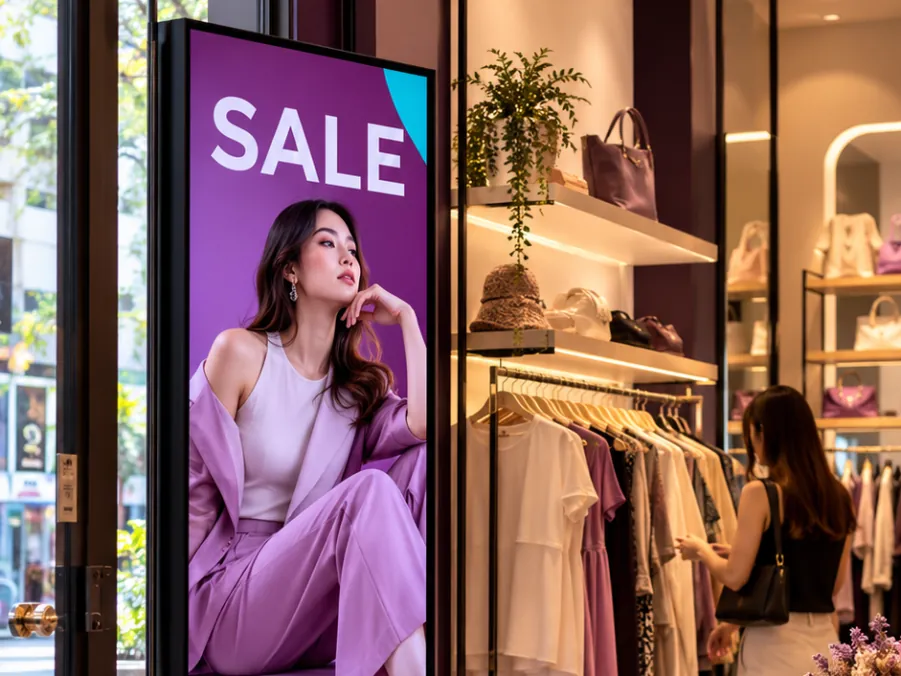
What a retail store can show on its screens
-
Window promos
A landscape screen facing the street or the mall walkway, playing your current offer and best sellers to people walking past.
-
New arrivals
Photos or a short video of this week's new stock as the everyday playlist, so the window changes as often as your racks do.
-
Sales by date
A weekend deal, a mid-year sale or a year-end sale, each with its own start and end date, so it goes live and comes down on time.
-
Fitting room screens
A portrait screen beside the fitting rooms showing ways to style what shoppers are trying on, and the accessories that go with it.
-
Brand videos
Product videos supplied by the brands you stock, uploaded as MP4 or MOV and played between your own promos.
-
Bundles at the cashier
Buy 2 free 1 bundles or member-only prices on a screen by the cashier, where shoppers stand while they wait to pay.
A retail year on screen
An example for a store with two landscape screens in the window, grouped as "Window", and one portrait screen by the fitting rooms.
-
When: Every day, all day
What plays: New arrivals and brand videos (the everyday playlist)
Which screens: Window group
-
When: Every day, all day
What plays: Styling ideas and matching accessories
Which screens: Fitting room screen (portrait)
-
When: Saturday and Sunday, 10am to 10pm
What plays: Weekend bundle deals
Which screens: Window group
-
When: Two weeks before Hari Raya, all day
What plays: Raya collection lookbook
Which screens: Window group
-
When: 1 to 31 December, all day
What plays: Year-end sale
Which screens: Window group
Each row is one schedule in scheduling. Screens that are online switch by themselves in your shop's time zone; add dated rows, like a festive menu, ahead of each season.
A typical retail setup
2 shops, 3 screens each
RM149 /month
on the Growth plan
Two branches, each with two landscape screens in the window and one portrait screen by the fitting rooms. Campaigns live in shared playlists, and each branch has its own schedules, so each branch can start and end the same sale on its own dates and hours.
Work out your own setupHow do I roll out a sale to every branch on its own hours?
Put the campaign in a shared playlist, then add a schedule for it in each branch. Each schedule belongs to one branch, so a branch that opens late can run the sale until 10pm, or a new branch can join the campaign a week after the others.
When a brand sends a new video halfway through, add it to the shared playlist once and every branch gets it. Online screens start fetching it within seconds by themselves, and it starts playing at the end of the current loop.
How do portrait fitting room screens fit in with the window?
Choose landscape or portrait for each screen when you pair it, and make a playlist for each orientation. A schedule for the whole store only changes the screens that match its playlist, so a landscape window sale never lands on the portrait fitting room screen.
For a store-wide sale, make a portrait version of the sale slides too and give the fitting room screen its own schedule with the same dates.
Can a retail store show a brand how often its video played?
Partly. Reports shows plays per day and your top 10 media by number of plays, with total play time, for the last 7 or 30 days, for one branch or all of them. If a brand's video is in your top 10, you can see how many times it played.
Media outside the top 10 is not listed, and there is no report export or custom date range. If you sell screen time to brands, keep that in mind before you promise them numbers.
Common questions
Can a retail sale start and end on its own on set dates?
Yes. Give the sale playlist a schedule with a start date, an end date and a higher priority than your other schedules. Online screens put it up on the first day and take it down after the last, in each branch's own time zone, and a screen that was offline catches up when it reconnects.
Can a retail screen pull prices from my POS system?
No. OutDeck does not connect to POS or stock systems. It plays the images and videos you upload, so when a price changes, update the slide and swap it into the playlist.
Can a brand's video play only on the store window screens?
Yes. Put the window screens in a screen group, then schedule the brand's playlist for that group only. Your other screens, such as the one by the fitting rooms, keep playing their own playlists.
Keep reading
- Schedule what every screen plays, by day and time Give each screen an everyday playlist, then switch to other playlists by date, day and time, even past midnight.
- Proof-of-play reports and screen health See plays per day and your top 10 media for the last 7 or 30 days, plus which screens are online and when they last checked in.
- Use an Android tablet or phone as a shop screen Play your content on an Android tablet or phone. Sign in on the screen, pick a shop and a playlist, and it starts.
- Use a Windows PC as a shop screen Play your content on a Windows 10 or 11 PC. Download the player, sign in on the screen and pick a playlist.
- Run every shop and your whole team from one account All your outlets in one account, each in its own time zone, with managers and staff who see only the shops they look after.
- Restaurant digital signage for set meals, supper and every outlet Set lunches, a supper menu past midnight and festive sets across all your outlets, with counter boards that change in step.

Put your next sale on screen
Start a free demo, no card required.