How to choose an Android TV box for a shop screen
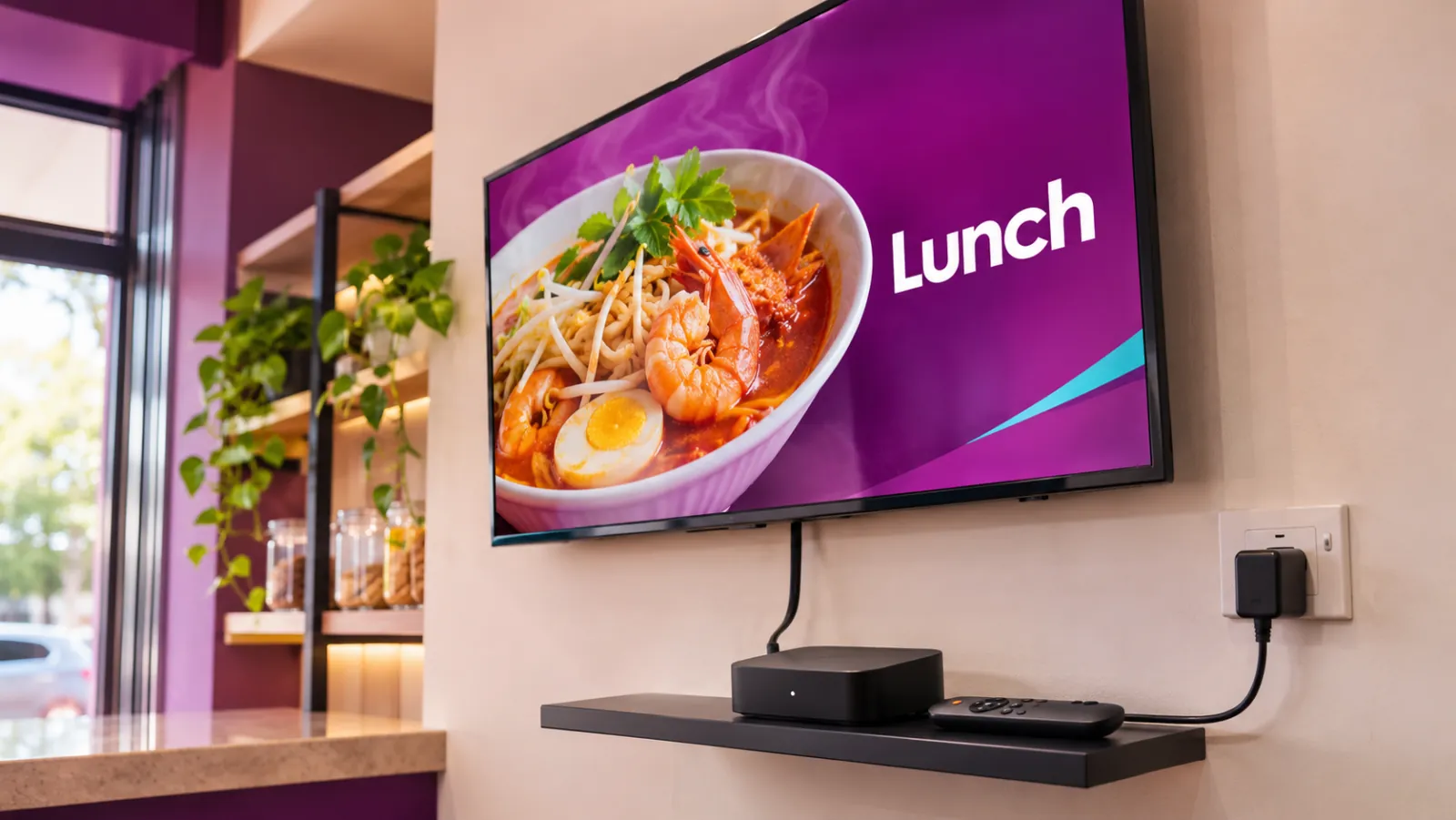
A TV that is not Android can still be a shop screen with an Android TV box plugged into its HDMI port. Pick a box on Android 8.0 or newer with Google Play, enough free storage for every video in your playlists and a steady Wi-Fi or cable connection. Then test that it starts by itself after a power cut.
Updated
Does my TV need an Android TV box?
Not if it is an Android TV on Android 8.0 or newer: OutDeck Player runs on the TV itself. If Google Play is on the TV's home screen, it runs Android, and its settings show the version under About.
Every other TV needs a box. Plug an Android TV box or stick into the TV's HDMI port and run OutDeck Player on that; the TV simply shows the picture.
A Windows 10 or 11 PC already wired to the screen is the other way, as one screen per PC.
What should I check before buying a TV box?
Seven things decide whether a box makes a good shop screen. The first two are the ones to check before anything else.
| Check | Look for | Why it matters |
|---|---|---|
| Android version | Android 8.0 or newer | OutDeck Player needs it |
| Google Play | Built in, so you install apps from it | OutDeck Player installs and updates from Google Play |
| Storage | Room for every video in your playlists, with some to spare | Each screen saves its files to keep playing offline, and older files stay saved too |
| Memory | Not the very cheapest, lowest-memory model | A few low-memory boxes cannot allow "Display over other apps", which lets the app start by itself after a power cut |
| Network | Good Wi-Fi where the TV hangs, or a network port for a cable | The box fetches your changes; a cable is steadier where Wi-Fi is weak |
| Video | Plays 1080p video smoothly | Menu slides are 1920 x 1080, and MP4 with H.264 at 1080p plays best |
| Remote and power | Its own remote and power adapter | You need the remote to set it up, and its own adapter keeps it on when the TV goes to sleep |
How much does an Android TV box cost?
When we checked in November 2026, a box with Google Play cost about RM200 to RM350. Cheaper boxes are easy to find, but check the first two rows of the checklist before you buy: Android 8.0 or newer, and Google Play built in.
Each box runs one screen, and each counts as one screen on your OutDeck plan. The cost guide adds it all up for a first year.
Should I get a TV box or a TV stick?
Either works if it passes the checklist. A stick plugs straight into the HDMI port and hides behind the TV, but it can run warm in a tight space and usually has no network port. A box sits beside or behind the TV and often has a network port, which helps where Wi-Fi is weak.
Power either one from its own adapter rather than the TV's USB port. Some TVs cut power to their USB ports when they go to sleep, which would switch the box off too.
Setting up the box
- Plug the box into the TV's HDMI port and its own power adapter, and choose that HDMI input on the TV.
- Install the free OutDeck Player app from Google Play on the box, and open it.
- Type the 8-character code it shows into Devices, Add screen in your dashboard, and pick the shop and orientation.
- Allow "Display over other apps" when it asks, so it starts by itself after a power cut.
The Android TV screens page has every step in full.
How do I test a TV box before I rely on it?
- Switch the box off at the wall, switch it on again, and check it comes back to your playlist by itself.
- Leave it playing for a full day, then check on the Devices page that it is still online.
- Play your longest video and watch for stutter.
- Check its free storage on the Devices page before you add long videos.
Common questions
Should a TV box use Wi-Fi or a network cable?
Either works. A cable is steadier where Wi-Fi is weak. Once the box has downloaded its playlist, it keeps playing what it has saved if the connection drops.
Can I use a TV box that has no Google Play?
OutDeck Player comes from Google Play, which also keeps it up to date, so a box with Google Play is simpler. No Google Play? Email hello@outdeck.app and we will send the app file.
Which video format plays best on an Android TV box?
MP4 with H.264 video at 1080p is the safest choice, up to 100 MB per file.
Keep reading
- Use an Android TV or TV box as a shop screen Turn an Android TV, or a TV with an Android TV box, into a shop screen. Install the app and type its code into your dashboard.
- Get OutDeck Player for your shop screens
- Use a Windows PC as a shop screen Play your content on a Windows 10 or 11 PC. Download the player, sign in on the screen and pick a playlist.
- Screens that keep playing when the internet drops Each screen saves its playlist and media, so once downloaded it keeps playing when the internet drops, then catches up when it reconnects.
- How to turn your shop TV into a digital menu board Turn the TV behind your counter into a menu board, step by step: check the TV, pair it, design the menu and switch it by time of day.
- How much does digital signage cost in Malaysia? What a shop screen really costs: the screen, an Android TV box if you need one, and the software, with first-year examples in Ringgit.

Try it on your TV box
Start a free demo, no card required, and try OutDeck Player on the box you choose.